loader image

Microsoft Teams Numberplan

For customers with or without direct Routing/Operator Connect

Empower designated users with secure, visual access to your organization’s number plan. With EasyUC Numberplan for Microsoft Teams, users can easily assign or unassign numbers to end users. Whether you simply want to populate the Business Phone field or fully enable users for Direct Routing — all of this can be managed effortlessly within the EasyUC Numberplan interface.

shape10
01

Get EasyUC Numberplan in Microsoft Entra Store

To use EasyUC Numberplan, navigate to Microsoft Entra Store, find our App and connect it to your Tenant

02

Configure EasyUC Numberplan

Configure your Locations and Number Ranges and define which Users should be able to use our App, all in about 15 minutes

03

Use EasyUC Numberplan

Let your Users add EasyUC Numberplan from Microsoft Teams App Store and use the App

EasyUC Numberplan for Microsoft Teams

Simplify Dial Plan Management and End the PowerShell Struggle

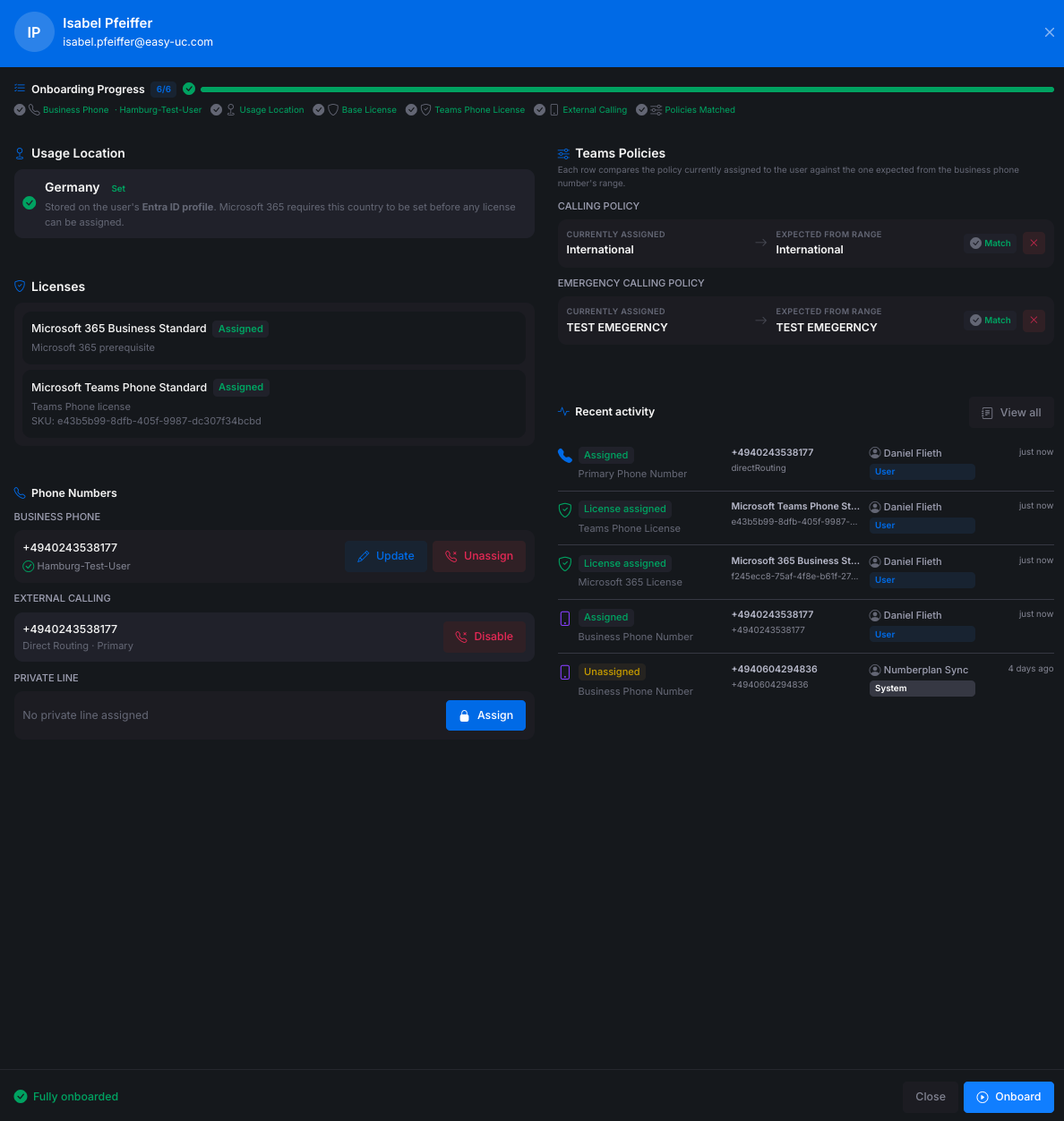
With the EasyUC Numberplan for Microsoft Teams you can assign or unassign Users from Phone Numbers as easy as it could be. There is no need anymore to use Powershell to enable Users for enable direct Routing.

Get a visual Numberplan

Filter for free or used numbers and assign them to users of your choice by a few clicks

Assign User to Numbers

When found a free phone number, simply assign it to a user of your choice

Unassign User from Numbers

Search the user from should get unassiged, get the phone number and click on unassign user

Multitenant Support

If you are a Service Provider which manage many Tenants, get EasyUC Numberplan for each Tenant and simply switch between Tenants

Phone Number Manager
Saas Landing 7
Phone Number Manager Assign User

Start using EasyUC Numberplan
for Microsoft Teams

Get our App in Microsoft Entra Store and assign it to your Tenant.

NumberplanTeams2
circle
EasyUC for Cisco UC

Manage your Cisco UC Infrastructure as easy as possible

With EasyUC make your 1st Level Support able to manage your Cisco UC Infrastructure as Easy. as possible. Let them do 90% of all tasks without having deep knowledge about Cisco UC.

shape10
01

Get Application from Portal

To test our App, simply download our OVA file from our Portal and create a 30 day demo license

02

Configure EasyUC

In about 1 hour, the Application is configured, depending on the Cisco UC Infrastructure

03

Ask for an offer

If your test was successfull and you want to get our Solution, we will provide you an offer

EasyUC Provisioning and Helpdesk for Cisco UC

Save up to 90% time by using

EasyUC for Cisco

Energistically conceptualize clients-focused data and user-centric process Energistically communicate installed base web

Create IP Phone and Softphones by few Clicks

Save up to 95% time when creating phones for Users in your company

Auto Provisioning

Create configurations for new users automatically

Auto Delete Phones

When user disappear from CUCM, EasyUC can automatically delete all configuration for the User

Auto Configuration of Name Changes

If the Lastname of a User change, EasyUC will change the name automatically for each Phone

Graphical Numberplan

EasyUC provide an Numberplan which provide you informations about free and used Numbers in your CUCM Cluster

Get Reports for unused Softphones

Create Report about Softphones which are not used by any Enduser and delete them in a simple way

Provisioning via API

Use an external Application like ServiceNOW to Provision your CUCM

Recreate Deleted Phones

If you deleted a phone by mistake, simply recreate the phone with all configurations by single click

Reports for Calls and Hunt Groups

EasyUC import CDRs and create Report for normal Calls and Hunt Pilots

EasyUC UC Users
EasyUC User View

Start spending less time
to manage your Cisco UC Infrastructure

Download our EasyUC OnPrem Solution from our Portal, get 1 month demo license and test our Solution

EUC Portal
circle

Our Location

Drosselstrasse 15
22305 Hamburg
Germany

Contact

info@easy-uc.com

Call us Now

Office: +49 40 22852289 0

Opening Hours

From Monday – Friday.
8 am to 6 pm

    Get in touch