
EasyUC Engineer
The CUCM workstation for system engineers
EasyUC Engineer brings the EasyUC tools for Cisco CUCM to your Mac or Windows PC as a desktop app. You work in separate customer projects directly against CUCM over AXL, with nothing to install at the customer site. If the customer runs an EasyUC server, the app can use it as well.
A tool that goes to the customer with you
EasyUC Engineer is the desktop edition of EasyUC for Cisco. The app runs on your own computer and connects directly to the customer’s CUCM when needed, inside the customer network or over VPN. You work on users, phones, numbers, groups, locations and Template 2.0 in the same interface you know from the EasyUC server.
You need no appliance, Docker, database or server at the customer site. Customer projects, credentials, inventories and jobs stay encrypted on your computer. The app opens no inbound port and only contacts the addresses you configure explicitly.
- macOS (Apple Silicon)
- Windows x64
- Direct AXL
- Separate customer projects
- Template 2.0
- Optional EasyUC server
- Encrypted locally
Why Engineer pays off
For partners, service providers and internal UC teams who look after many Cisco environments and do not want to build a server installation every time.
What Engineer can do
The main features of the current version 4.9.48.
Users & phones
- User cards with all devices, filters for IP phone, desktop, iPhone, Android, tablet, device profile and Single Number Reach
- Phone list with model images, lines and filters by device pool and model
- Create IP phones and Jabber clients from Template 2.0, clients for up to 100 users at once
- Line settings, busy trigger, call forwarding, Single Number Reach and line keys
- Remote-control several phones at once
Planning & configuration
- User wizard with seven main steps for one or several users
- Number plan with ranges, usage and assigned users and devices
- Maintain locations, packages and Template 2.0 locally or take them over from the EasyUC server
- Template 2.0 with per-location features, named device settings and analog ports per voice gateway type
- Real CUCM selection lists and a check of all references before saving
- Manage pickup groups and hunt groups with their members
Analysis & evidence
- Inventories of devices, users, numbers, groups and trunks
- Compare two states: new, removed, changed, field by field
- Export as CSV or JSON, leading zeros are kept
- Change phone descriptions via CSV with preview and approval
- Analyse logs, CDR and text files locally
- Original reports from cluster overview to Teams migration, analog gateways and CUBEs
Change safely, work traceably
Working in other people’s environments calls for a tool without surprises. Engineer reads first, shows what will happen and writes only after your approval.
Credentials never leave your computer in clear text. With a password-encrypted full backup you move your entire workstation to a new computer.
- Check the CUCM certificate on first contact and pin it by SHA-256 fingerprint for exactly this connection
- Passwords in the operating system’s key store, project data encrypted with AES-256-GCM
- Enable write access explicitly per connection
- Preview, a fresh read before every change and a read-back afterwards
- Unclear results are not retried and stay visible in the job
- Full backup of all projects with your own password, restore on a new computer
Ready in four steps
- 1
Get the package
Engineer is available for macOS with Apple Silicon and for Windows x64. We provide the package in the customer area.
- 2
Create a customer project
Create a project and enter the CUCM address, the AXL version and an AXL user.
- 3
Confirm the certificate
Verbindung prüfen (check connection) shows the CUCM certificate. Once you confirm it, it applies to this connection.
- 4
Start working
Open users and phones, take an inventory or start with the wizard.
Requirements
Engineer only needs your computer and network access to CUCM. For functions that run through an EasyUC server, the server must provide the matching Engineer interfaces.
Permanent services such as the end-user portal, synchronisation, CDR collection, ACD or the Teams SBC are what the EasyUC server installation is for. The two complement each other.
| Operating system | macOS with Apple Silicon or Windows x64 |
|---|---|
| CUCM | Reachable over HTTPS (default port 8443) with the Cisco AXL Web Service enabled, in the customer network or over VPN |
| CUCM access | Application user with AXL read permissions, plus write permissions for changes |
| EasyUC server | Optional. What you can use depends on the server version and your account’s permissions. |
| Version | Engineer 4.9.48 as a preview release. The macOS package is not notarised and the Windows package is not signed, so the operating system asks for confirmation on first start. |
| Not included | End-user portal, permanent synchronisation, continuous CDR collection, ACD/IVR and SBC services |
Inside EasyUC
EasyUC Engineer at work
Captures of desktop app 4.9.14 against an isolated CUCM test system. All names, numbers and addresses are test data. The app interface is currently German.
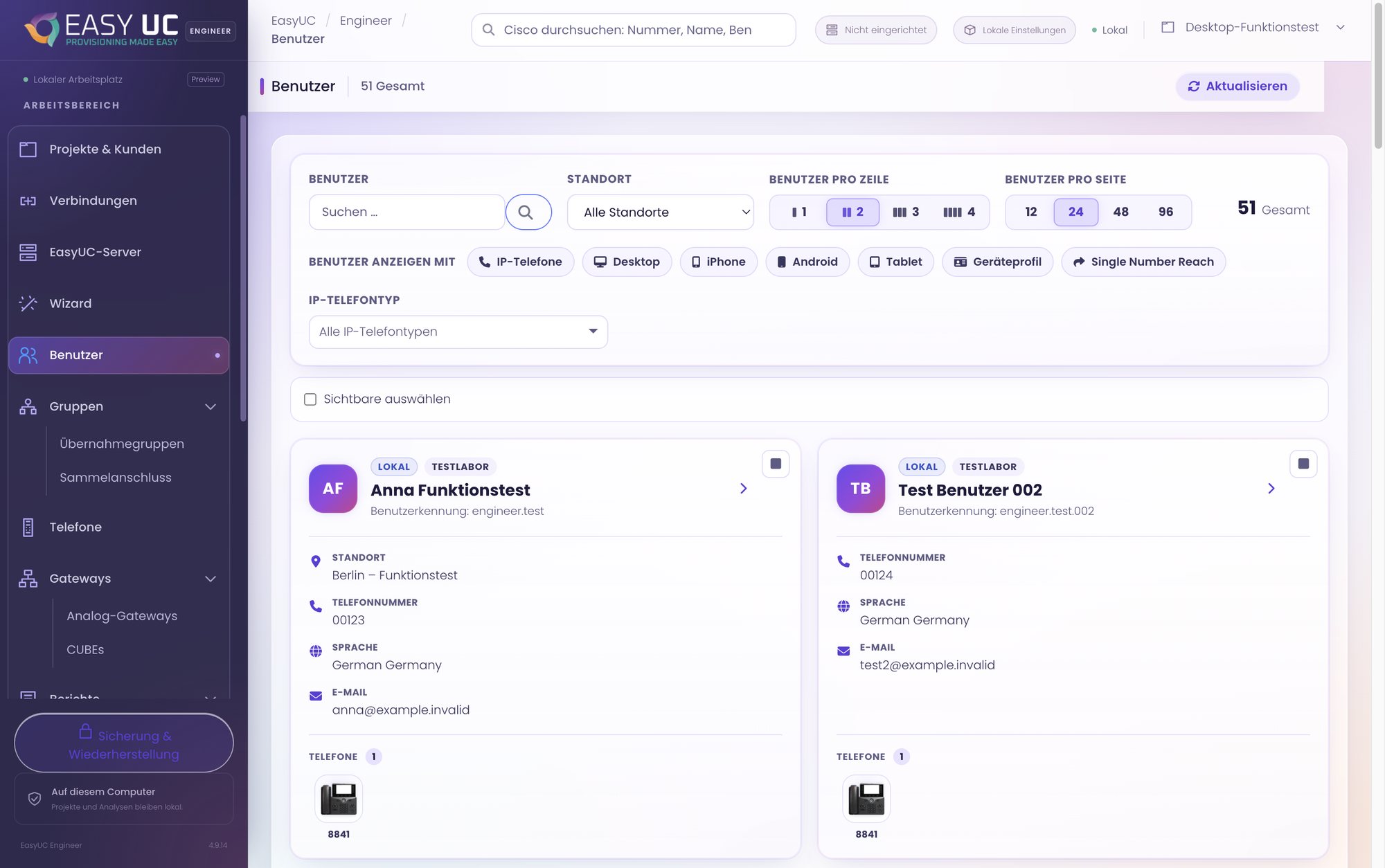
Users with all their devices
User cards with location, number and phones; filters by device type and selectable page size.
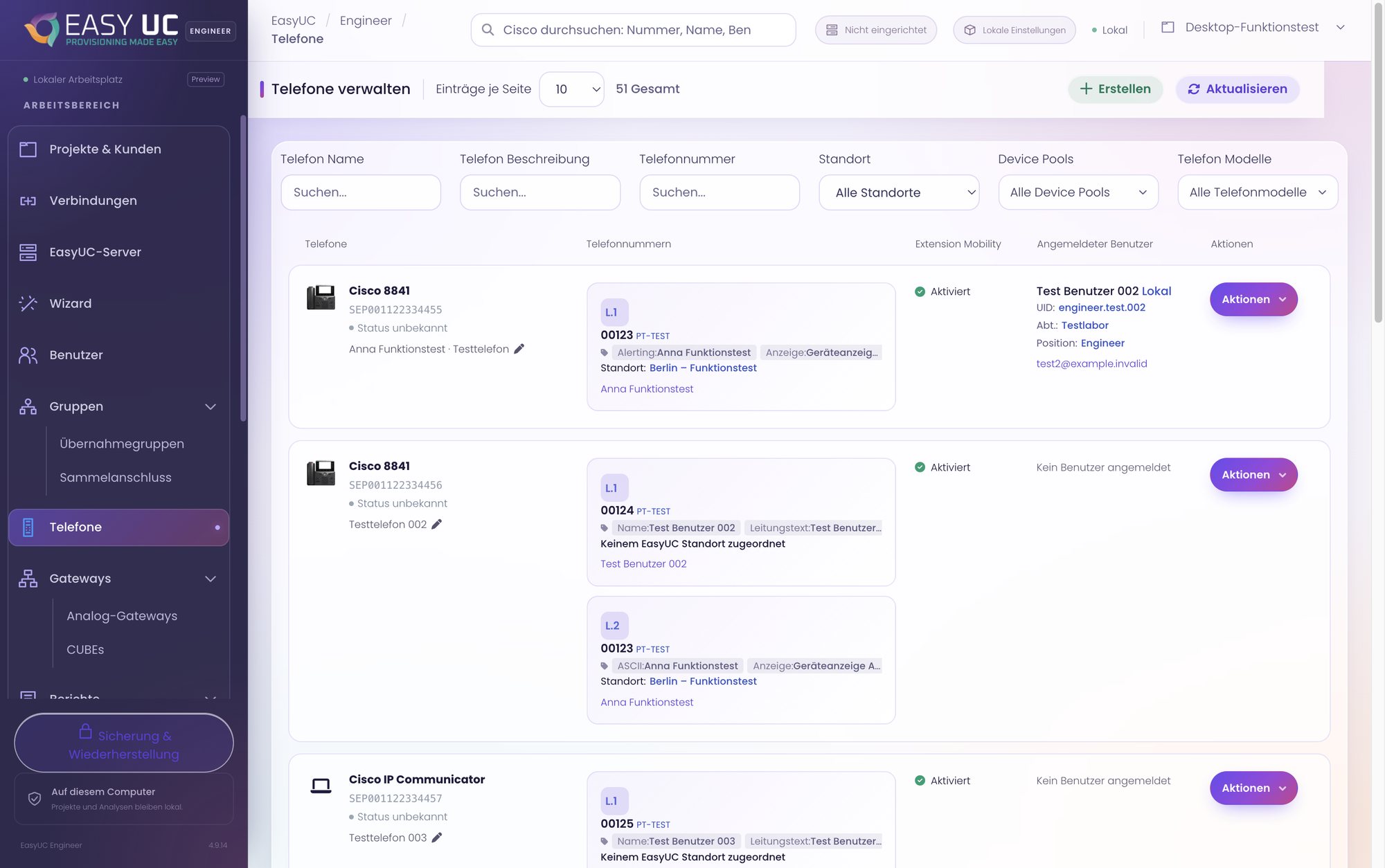
Phones and their lines
Phone list with model, lines, Extension Mobility, logged-in user and actions per device.
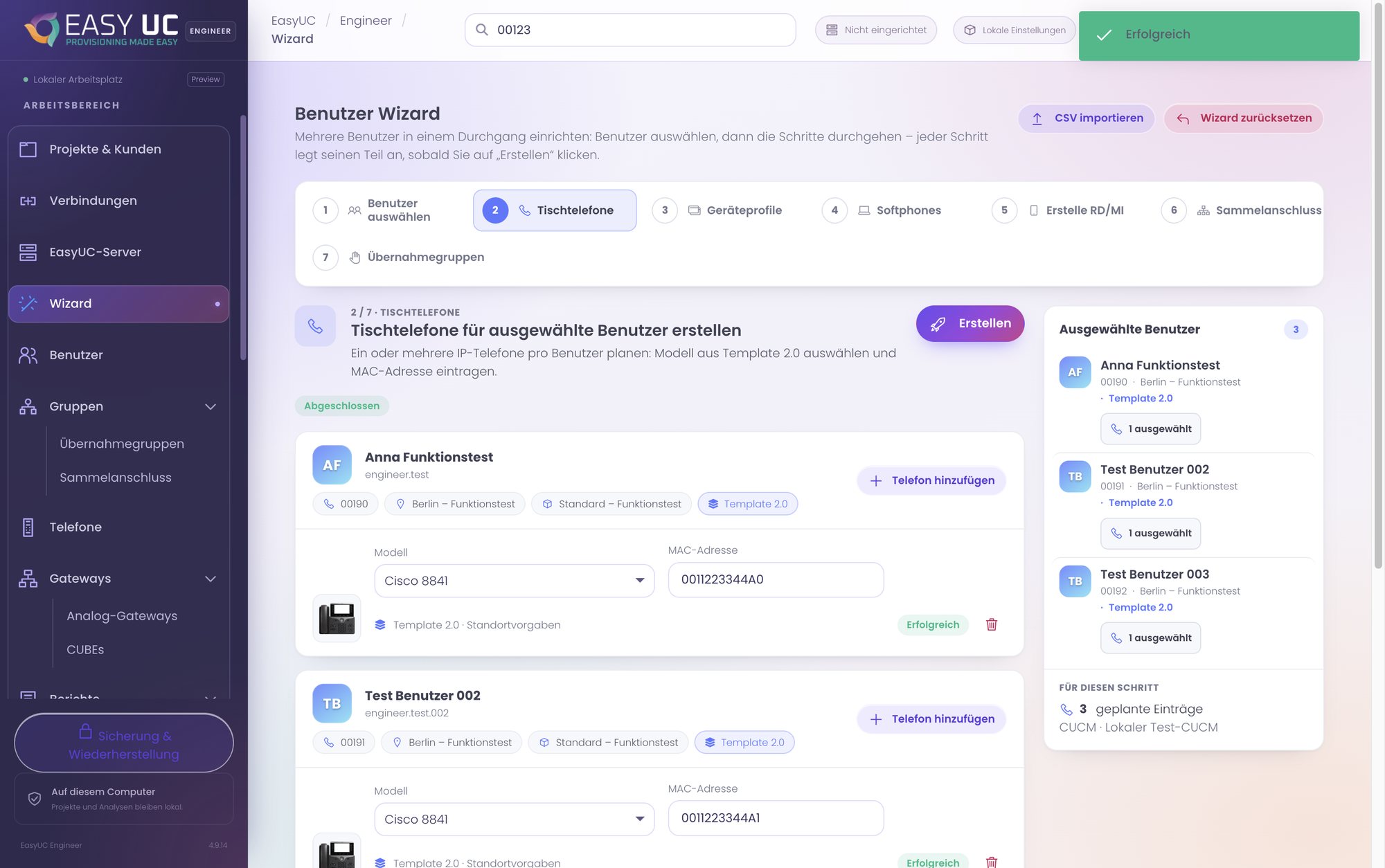
Wizard for several users
Plan and create desk phones for three selected users in one pass.
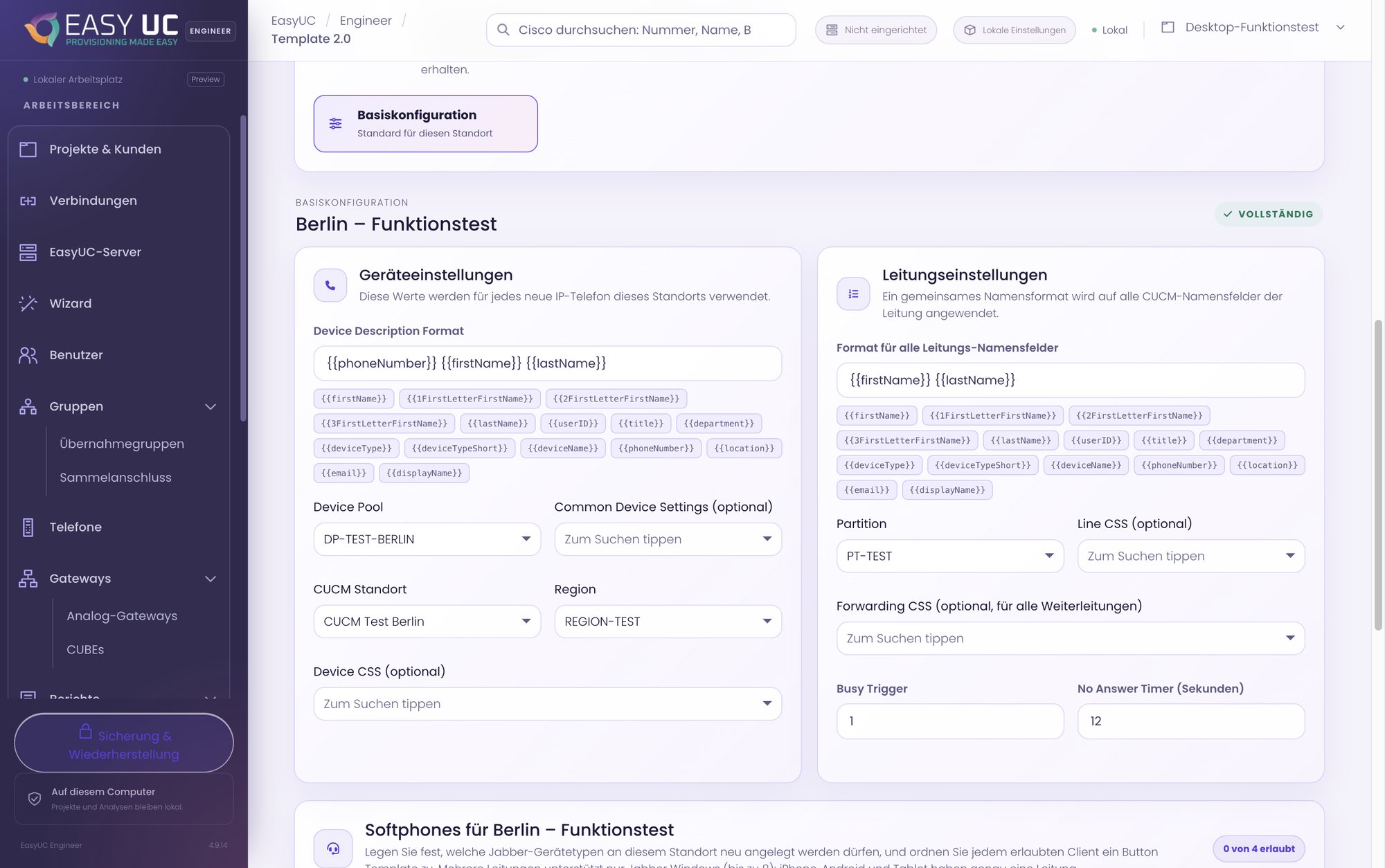
Template 2.0 per location
Device and line defaults with naming variables and real CUCM selection lists.
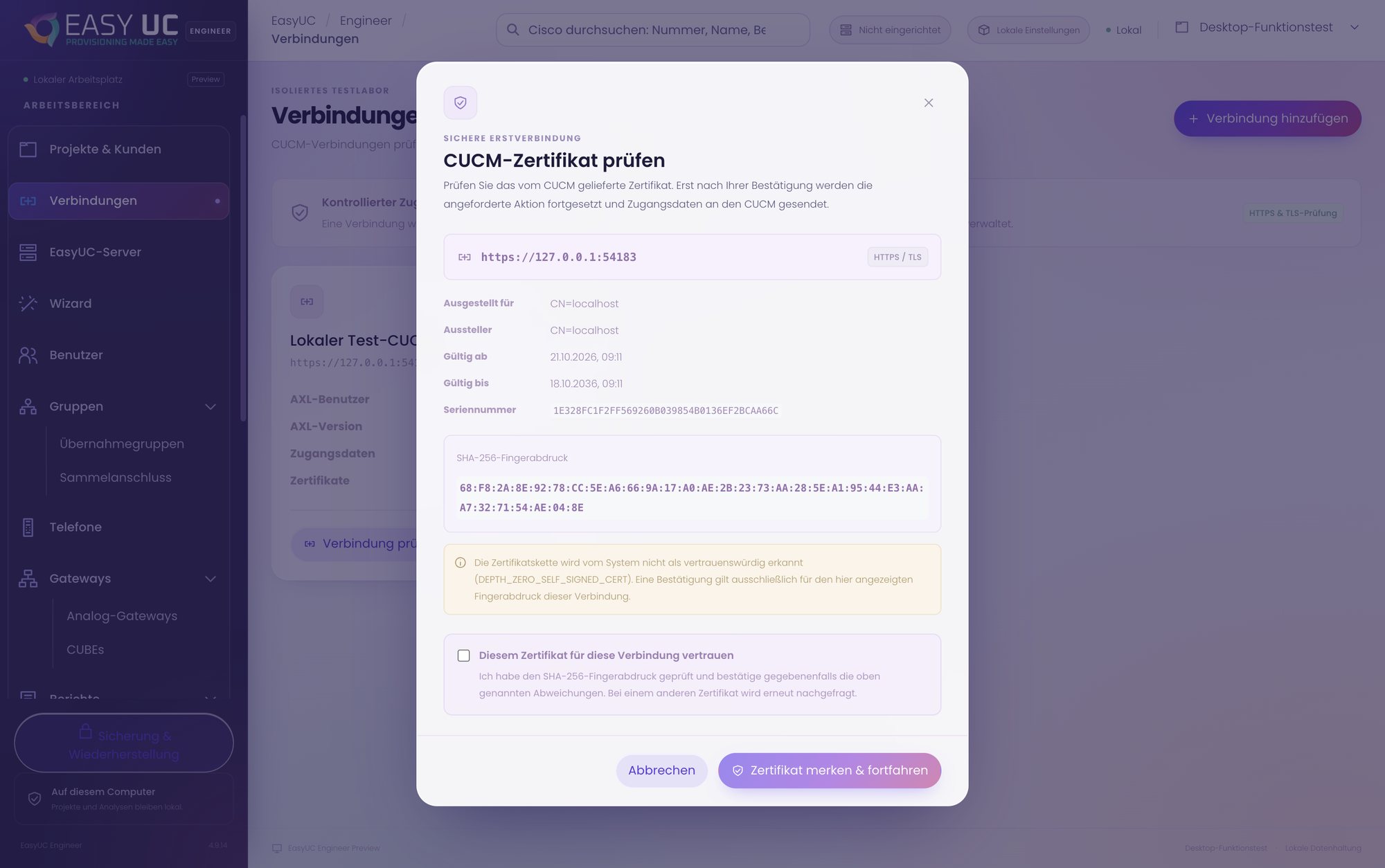
Confirm the certificate on purpose
Before the first sign-in, Engineer shows the CUCM certificate with its SHA-256 fingerprint and pins it only after you confirm.
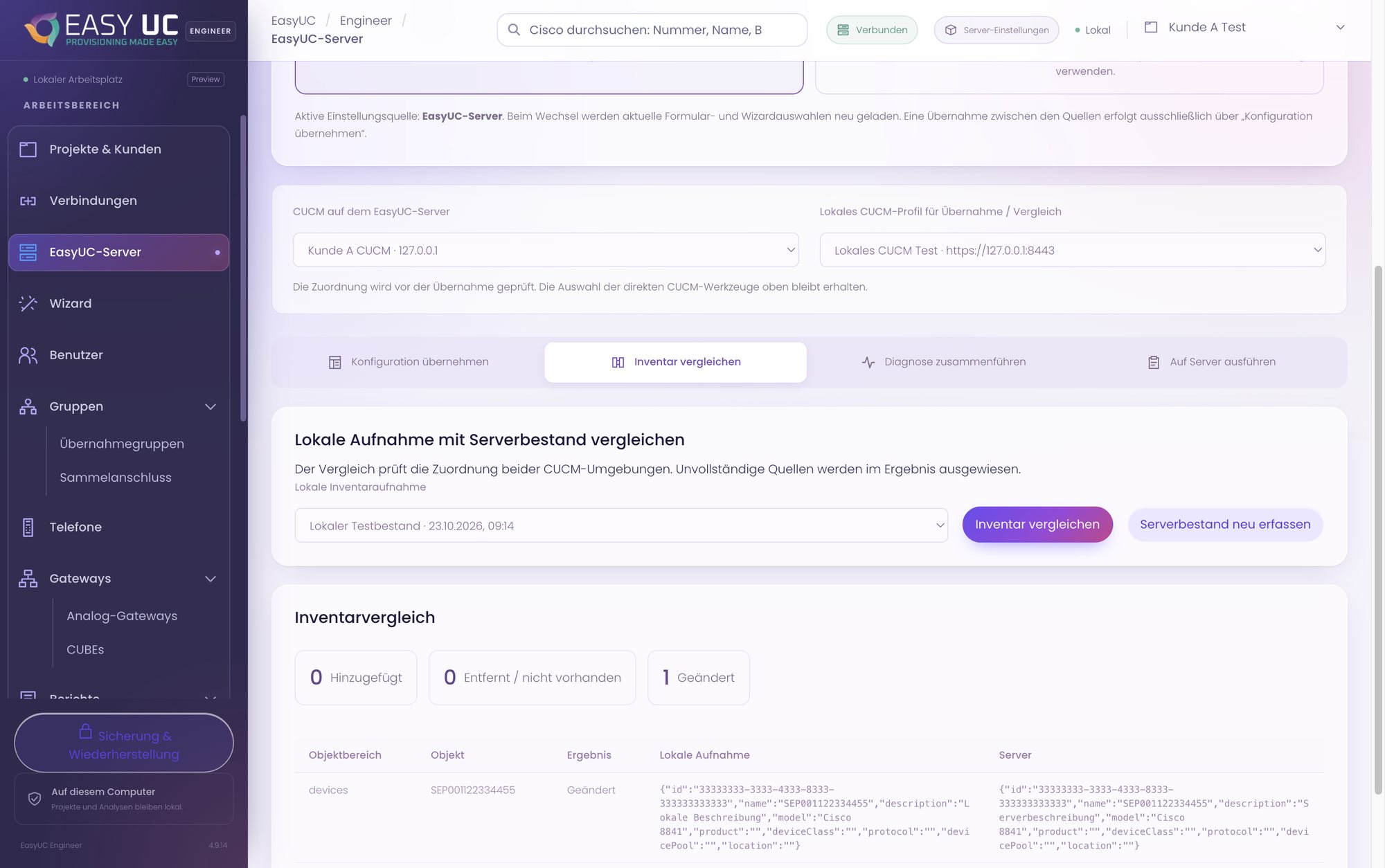
Compare local and server
Reconcile a local inventory with the EasyUC server’s inventory: added, removed, changed.
These captures show the actual EasyUC interface in a lab/demo environment. Open an image to see it in more detail. Parts of the lab interface are not yet fully translated. When a matching language version is unavailable, the different screenshot language is labelled.
Get to know EasyUC Engineer
We show you Engineer on your own CUCM environment and provide the package for Mac or Windows in the customer area.
Existing customers
Licences, updates, invoices and support tickets are in the customer portal.
Go to the customer portal